Endpoint Overview
CodeShot provides a lightning-fast, caching-ready endpoint to generate code snapshot graphics on the fly. Images are rendered as optimized SVGs by default for sub-second loading and razor-sharp rendering on all high-DPI displays.
GET https://codeshot.in/render?code={ENCODED_CODE}&theme={THEME}&lang={LANG}
URL Query Parameters
| Parameter | Options | Default | Description |
|---|---|---|---|
code |
String (URL-encoded) | Sample snippet | The raw source code to highlight and render. |
b64 |
Base64 string | None | Base64-encoded snippet (recommended for multi-line or special character code). |
theme |
safelight, midnight, cyanotype, phosphor, paper |
midnight |
The film stock color palette for the background and syntax. |
lang |
js, ts, py, html, css, bash, sql, rust, go |
auto |
Syntax highlighting grammar to apply. |
chrome |
mac, win, retro, none |
mac |
Window titlebar frame styling. |
pad |
Number (16 to 80) | 32 |
Outer canvas padding around the code window. |
Markdown for GitHub README
You can paste this snippet directly into any README.md file on GitHub:
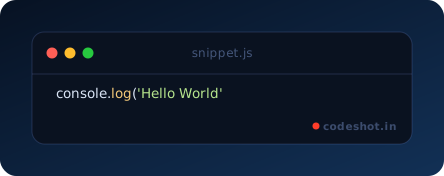%3B)
Browser Studio
Prefer a visual editor? Visit the CodeShot Studio to adjust film stocks, background gradients, padding, and download up to 3x Retina PNG files with one click.