How to Embed Dynamic Code Badges in GitHub READMEs
First impressions determine whether an open-source project gains stars, contributors, and adoption. While standard Markdown code blocks are functional, they frequently render with drab, uninspired monochrome formatting across varying GitHub mobile clients and dark/light modes.
By generating dynamic vector SVG badges and embedding them directly into your project's README.md, you ensure consistent typography, macOS-style window chrome, and high-contrast syntax highlighting on all screens.
The Challenge with Static Screenshots
Historically, repository maintainers took screenshots of their IDE, saved them as PNG files, and committed them to an assets/ directory. This introduces three major issues:
- Bloated Git History: Committing 2MB+ raster images for minor code adjustments causes repository clone sizes to grow needlessly over time.
- Out-of-Sync Documentation: When the project's API changes, maintainers frequently forget to manually re-screenshot the snippet, leaving outdated example code.
- Display Degradation: Raster PNG files captured at 1x resolution appear blurry on modern MacBook Retina screens and 4K displays.
The Dynamic URL-Render Architecture
Instead of storing static binary assets, you can point your Markdown image tags to an on-demand vector rendering endpoint:
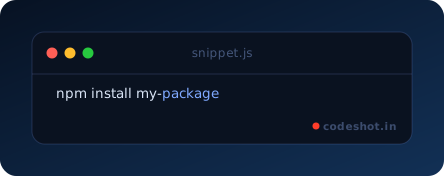
When GitHub's Camo image proxy fetches this URL, the rendering engine processes the query parameters, determines the syntax tokens, and yields a lightweight, standalone SVG file.
Query Parameter Best Practices
- Handling Complex Scripts via Base64: When rendering multi-line functions, use the
b64parameter to avoid URI-encoding errors. - Window Chrome Selection: Use
chrome=macfor documentation tutorials, orchrome=nonefor minimal headers. - Theme Matching: For dark-mode repositories, the
midnightorsafelightthemes provide superior contrast ratios.